Introducing Scriptor™

A PDF mark-up plugin made BY accountants FOR accountants.

Checkmarks, numbers and letter referencing
Create-your-own referencing
Custom cross-referencing
Calculator with tape printing
Bookmark organizing with template integration
Sign-off blocks to track prep and review
...and more!

Features

Scriptor features

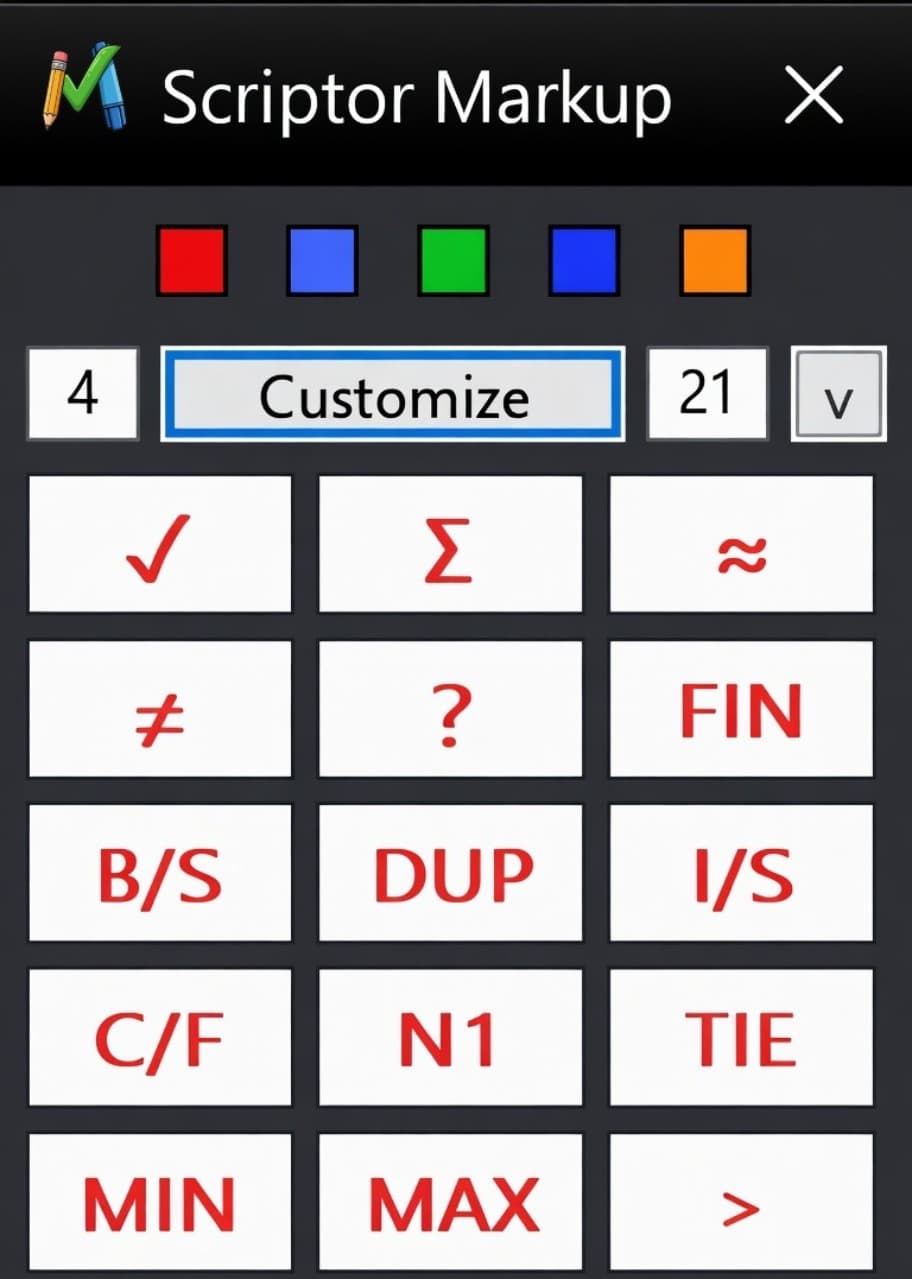
Make annotations a breeze with the extensive Scriptor MarkUp tool.

Field-ready markup

Built in and custom stamping

Comes ready to go with a number of marks or you can create your own
Shift them around in the grid to suit your use
Change the size with the drop down or resize with your mouse
Decide how big you want your grid
Screenshot of the Scriptor Markup toolbar over a PDF workpaper.

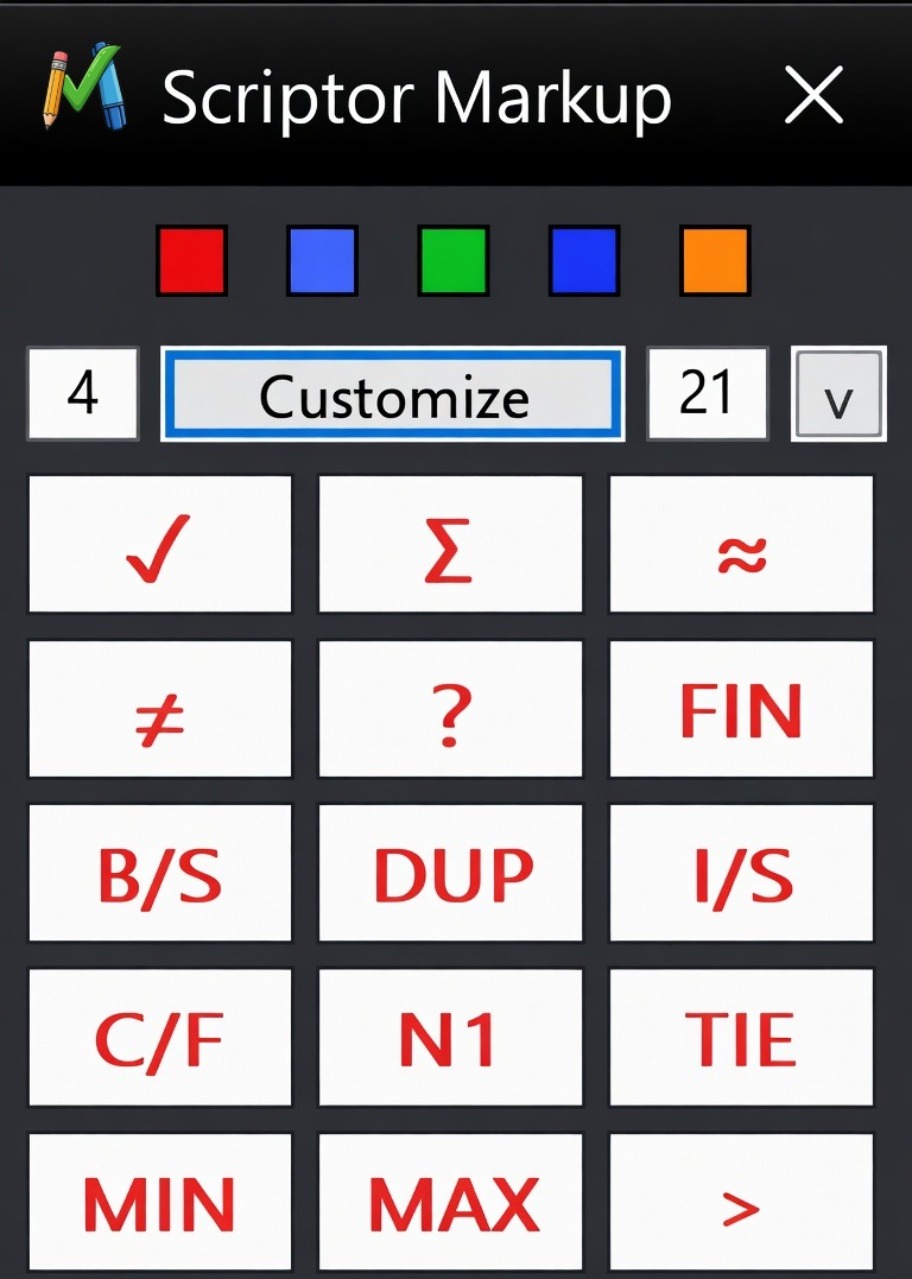
Field-ready markup

Built in and custom stamping

Comes ready to go with a number of marks or you can create your own
Shift them around in the grid to suit your use
Change the size with the drop down or resize with your mouse
Decide how big you want your grid
Screenshot of the Scriptor Markup toolbar with cross-reference tools visible.

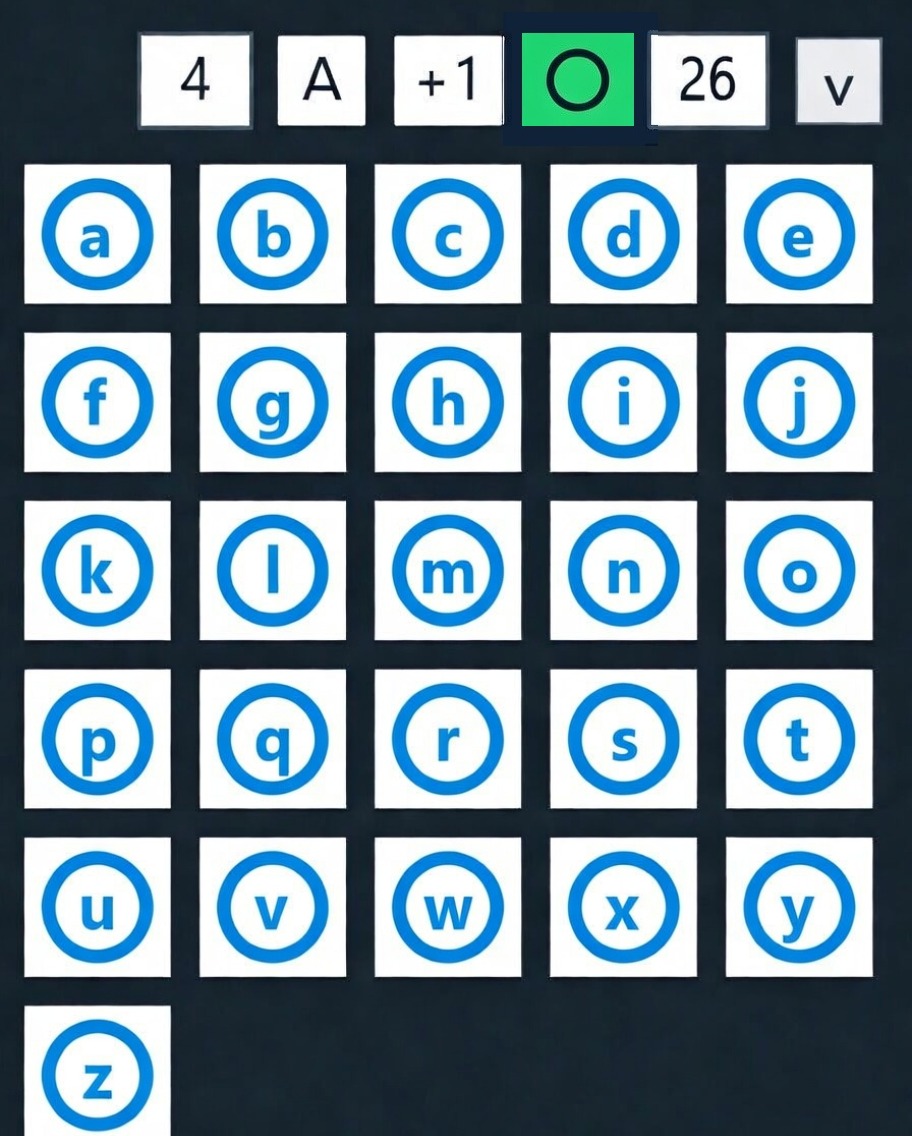
Field-ready markup

Alphanumeric stamping that's ready to go

You pick your grid size
Customize your color as well
Option to auto increment so every click moves to the next letter or number
Use with or without circles
Screenshot of the Scriptor Markup workflow with team coordination tools visible.

Field-ready markup

Alphanumeric stamping that's ready to go

You pick your grid size
Customize your color as well
Option to auto increment so every click moves to the next letter or number
Use with or without circles

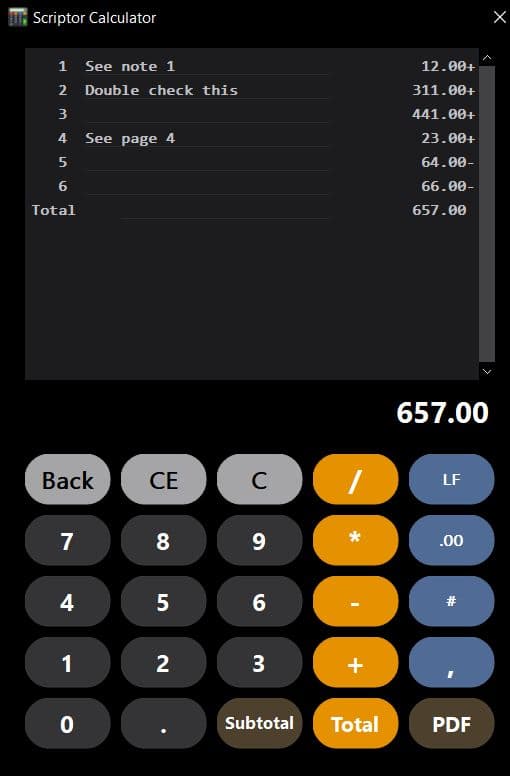
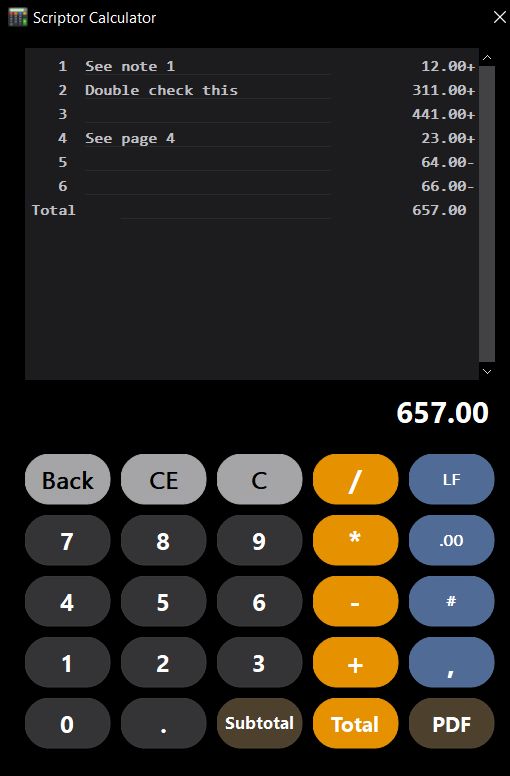
Scriptor Calculator turns your PDFs into a live number-crunching workspace.

Sleek modern design

Calculator window with custom options

Easy 10-key entry
Ability to correct numbers on the screen with auto-updating total
Add notes line by line to bring clarity
Insert and delete lines on the screen as needed even if total is printed
Resize the calculator tool to suit your preference
Screenshot of the calculator tool inside the PDFPlugins interface.

Sleek modern design

Calculator window with custom options

Easy 10-key entry
Ability to correct numbers on the screen with auto-updating total
Add notes line by line to bring clarity
Insert and delete lines on the screen as needed even if total is printed
Resize the calculator tool to suit your preference
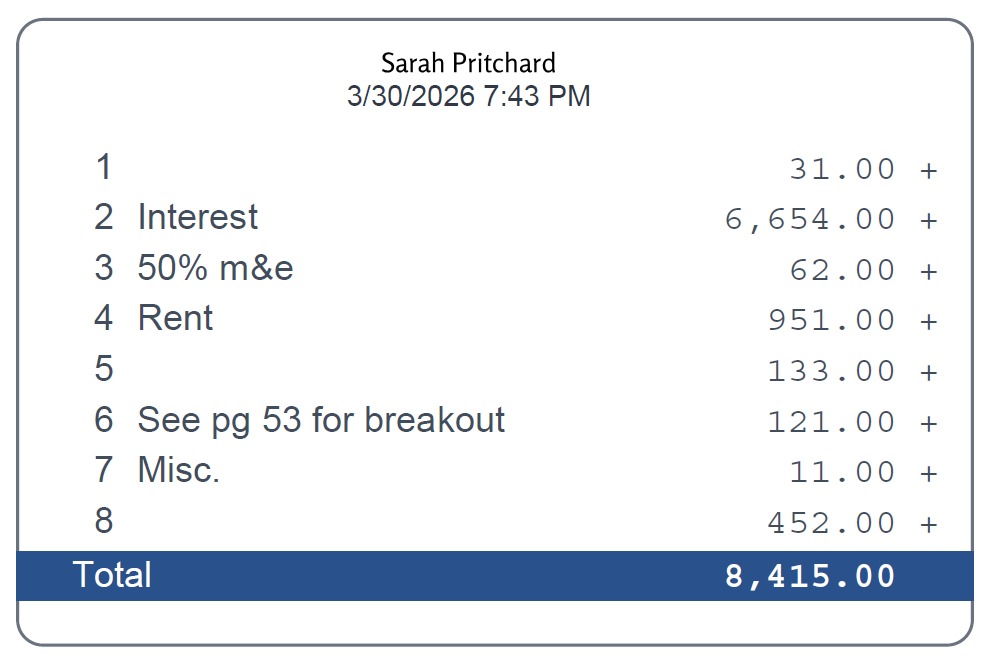
Screenshot of the calculator tape view inside the PDFPlugins interface.

Sleek modern design

Print tapes with a click of a button

Fully resizable to match any document layout
Double-click to edit, recalculate, and reprint instantly
Annotate directly on the tape using MarkUp or native Acrobat tools
Clean, right-justified tape formatting with name and timestamp for audit clarity

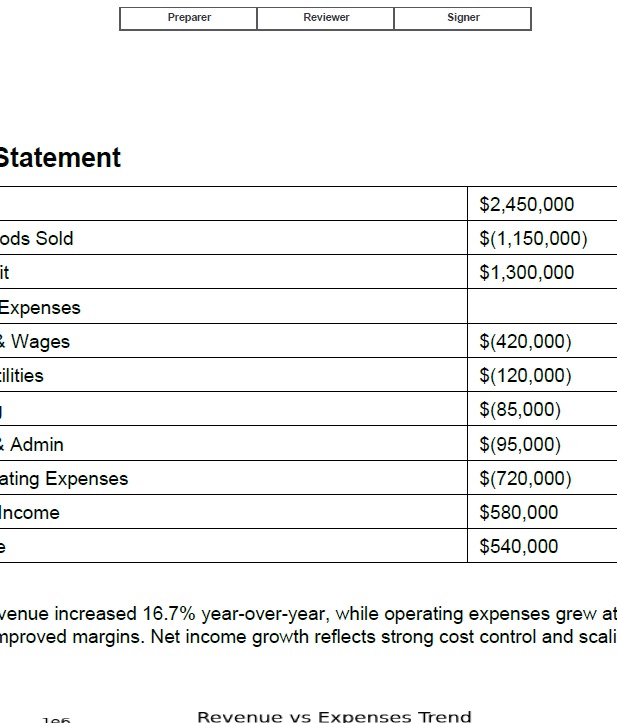
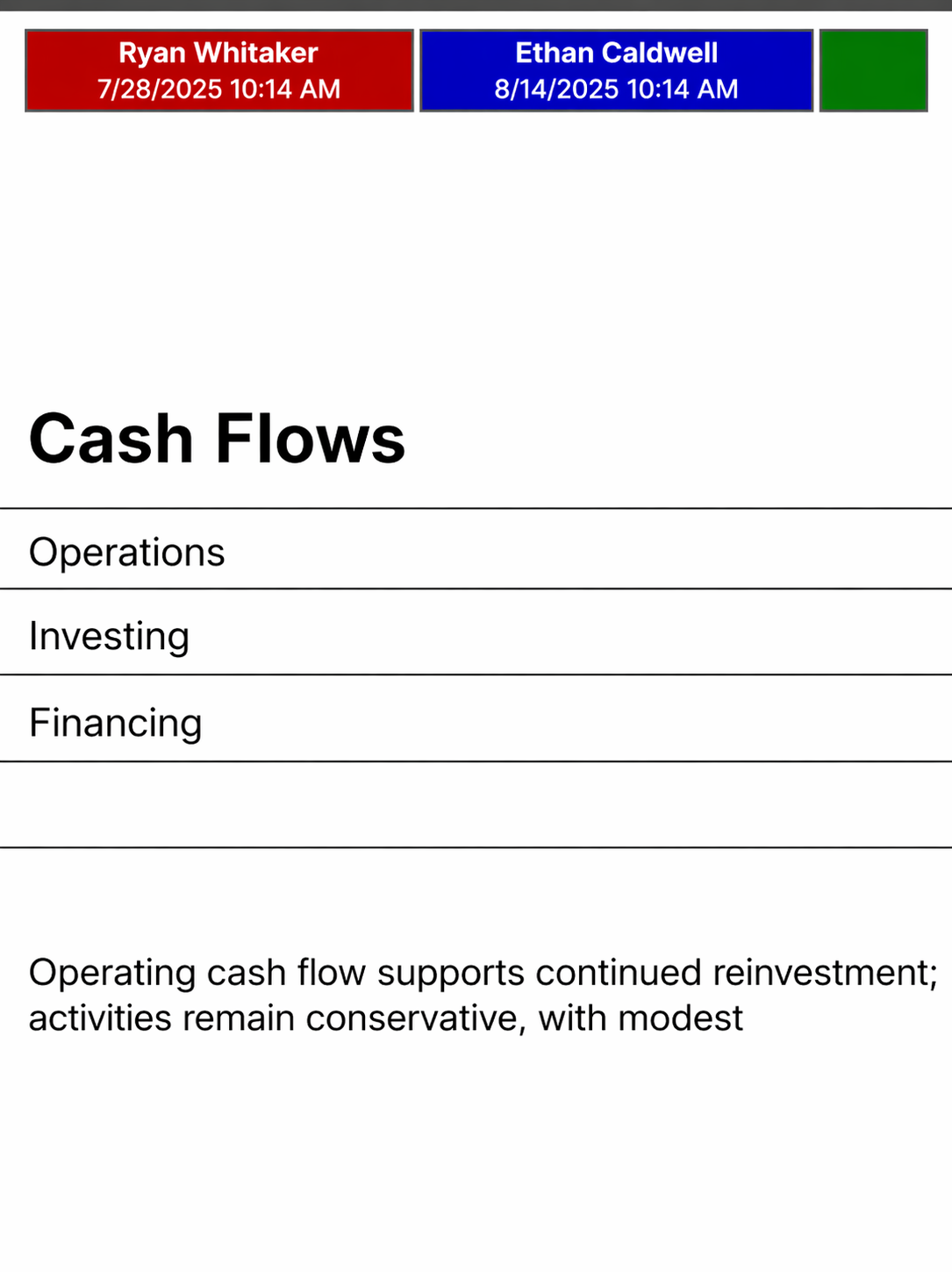
Scriptor Sign-Off transforms your PDFs into a fully trackable prep and review system.

Built for real workflow

Track your document flow

Choose from 6 page positions
Name, date and time and choose up to 4 roles
Built-in keyboard short cut for easy signoff
Custom colors and sign-off titles
Screenshot of the sign-off feature inside the PDFPlugins interface.

Built for real workflow

Track your document flow

Choose from 6 page positions
Name, date and time and choose up to 4 roles
Built-in keyboard short cut for easy signoff
Custom colors and sign-off titles
Screenshot of the second sign-off feature view inside the PDFPlugins interface.

Built for real workflow

Track your document flow

Choose from 6 page positions
Name, date and time and choose up to 4 roles
Built-in keyboard short cut for easy signoff
Custom colors and sign-off titles

Scriptor Document Organizer turns multiple PDFs into one organized, review-ready file.

Efficiently structure and control your workflow

Build structured, client-ready documents

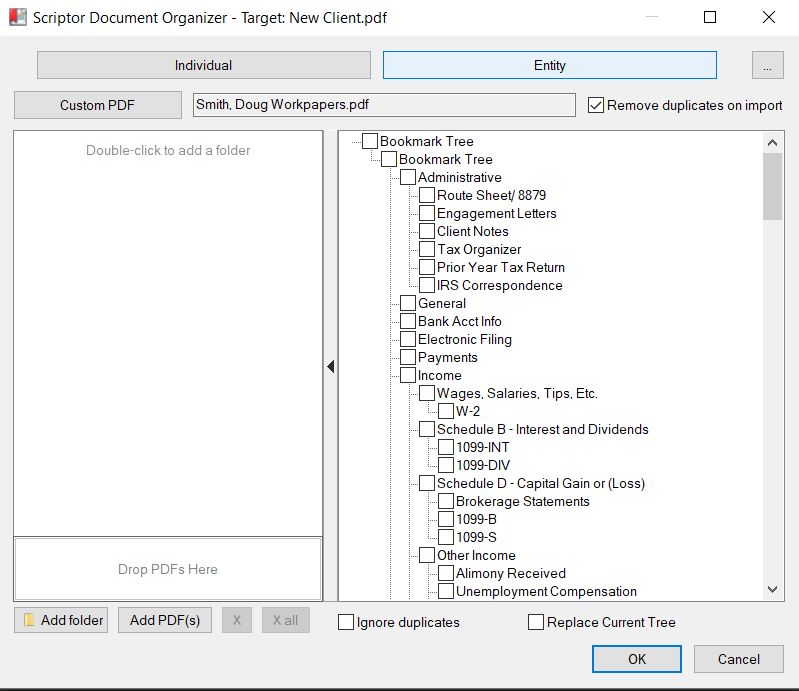
Import full bookmark trees from template PDFs
Apply consistent structure across engagements in seconds
Create nested sections for complex workpapers
Standardize deliverables across staff and offices
Eliminate manual bookmark creation
Screenshot of the Scriptor Document Organizer feature building a structured PDF bookmark layout.

Efficiently structure and control your workflow

Build structured, client-ready documents

Import full bookmark trees from template PDFs
Apply consistent structure across engagements in seconds
Create nested sections for complex workpapers
Standardize deliverables across staff and offices
Eliminate manual bookmark creation
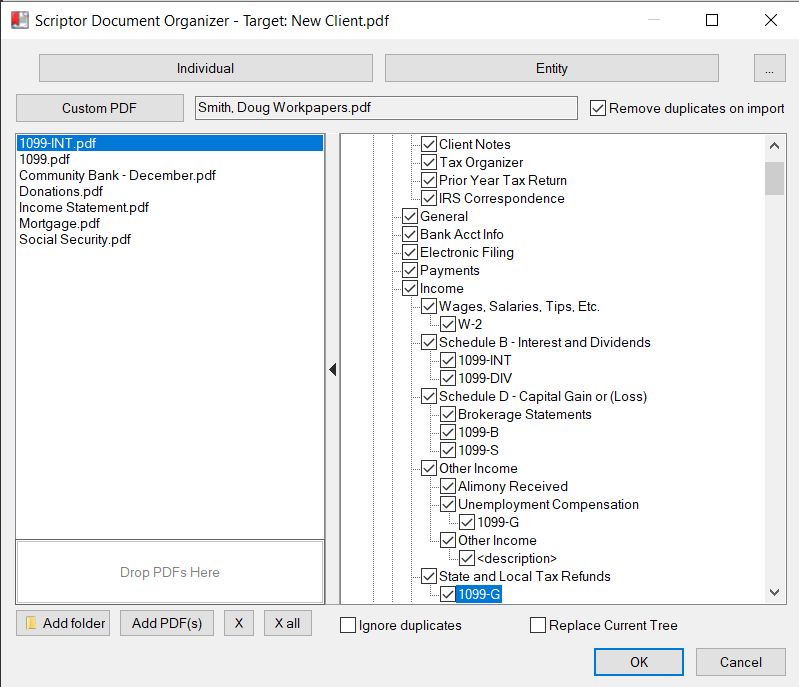
Screenshot of the Scriptor Document Organizer arranging pages into bookmark sections.

Efficiently structure and control your workflow

Drag, drop, and organize in seconds

Add pages from other PDFs directly into your structure
Assign pages to specific bookmarks with precision
Reorder and regroup content instantly
Visual tree layout for intuitive navigation
Designed for real-time prep and review workflows
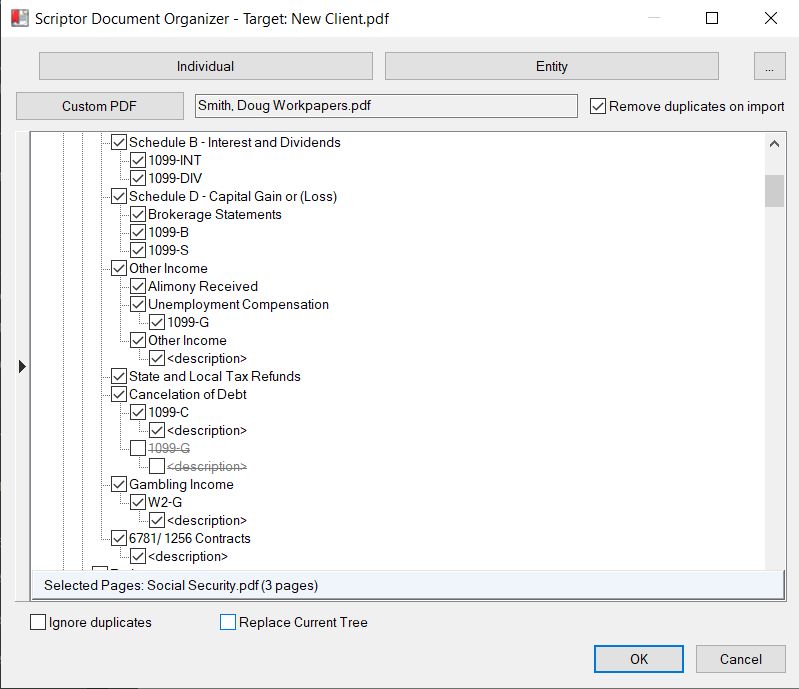
Screenshot of the Scriptor Document Organizer working across multiple open PDF files.

Efficiently structure and control your workflow

Work seamlessly across multiple PDFs

Pull in pages from separate open documents
Queue and manage multiple files before importing
Maintain source integrity while reorganizing output
Built to handle large, multi-document engagements
No need for external tools or file merging steps

Contact

See how Scriptor fits into your review workflow.

  • Start a conversation or reach out with a question.
  • Share how you currently review, organize, or mark up your PDFs.
  • If there are bottlenecks, inefficiencies, or repetitive steps, we want to hear them.
  • We'll follow up with specific ideas or ways Scriptor can improve your process.
  • Our goal is simple: help you work faster with less friction.

Get started

Tell us what you want to explore.